Roth conversion calculator
When is your Roth conversion window — and what would it cost?
A Roth conversion means moving money from a traditional 401(k) or IRA into a Roth account — you pay tax on it now, and qualified Roth withdrawals are generally tax-free under current law. The planning question is timing: how much bracket room exists before RMDs, Social Security taxation, IRMAA, and survivor brackets change the stack. GlidePath Money models your Tax Valley years and shows how much room you have in each — the actual numbers, on your own machine. It shows you the math; it doesn’t tell you whether to convert.
First, the “Tax Valley” — in plain English.
It may be one of the lower-tax stretches of retirement to evaluate Roth conversions.
Picture the years right after you stop working. Your paycheck is gone, so your income drops — and your tax bracket drops with it. Then around age 73–75, Required Minimum Distributions (the IRS rule that forces you to start pulling money out of traditional retirement accounts, whether you need it or not) kick in, and your taxable income climbs back up. The dip in between is your Tax Valley — often a lower-tax window worth modeling before RMDs, Social Security taxation, and survivor brackets change the picture.
Here’s why it matters with a simplified federal-bracket example. Say you retire at 63 and your taxable income sits well inside the 12% bracket for a few years. Converting $40,000 from your 401(k) to a Roth while you’re in that 12% bracket costs you about $4,800 in tax. Wait until your 70s, when RMDs have pushed you into the 22% bracket, and the same $40,000 conversion costs roughly $8,800. Same money, a very different bill — the difference is timing.
What GlidePath actually computes.
It maps your valley year by year — not a generic rule of thumb.
Fill in your retirement details once, and the Tax Valley panel lays out a row for every valley year — your age, the phase you’re in, pension and taxable Social Security, your projected 401(k) draw, the bracket you land in, and the headline number: how much you could convert that year before bumping into the next bracket up. It then sums it into four numbers you can read at a glance:
- Valley years — how many, and how many sit at the 12% bracket or below.
- 12% bracket headroom — the total you could convert at the 12% rate across the whole window.
- 22% bracket headroom — the larger total, if you’re willing to fill the 22% bracket too.
- Estimated tax difference — a directional comparison between a modeled valley-year conversion and later RMD-driven withdrawals.
Success probability, nest egg, and your low-tax conversion window — all computed on your own machine, from files you own.
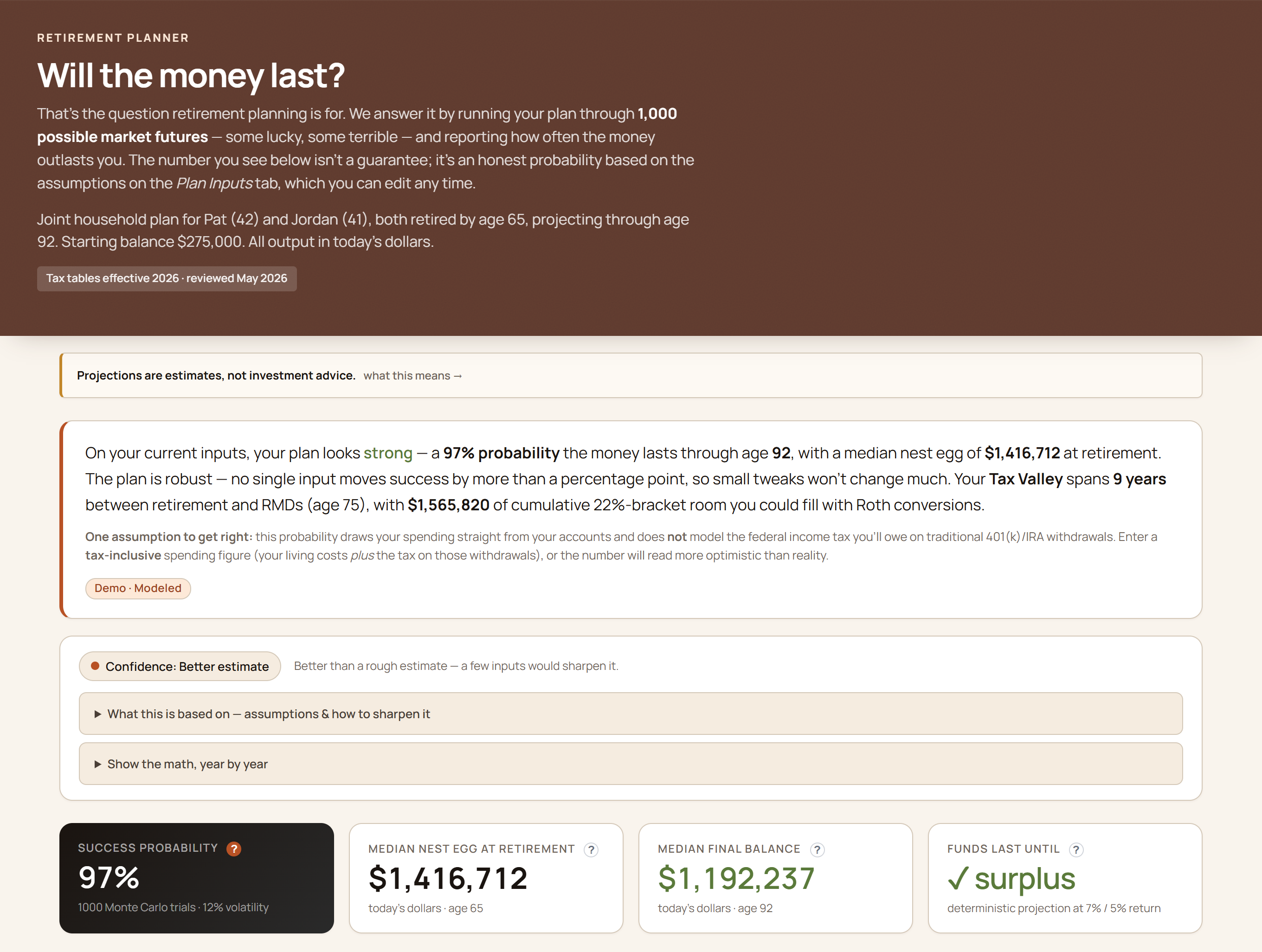
Every figure expands inline (Explain Mode) to show the formula and assumptions behind it.
It accounts for the things a simple calculator misses.
The Social Security “tax torpedo”
A conversion can drag more of your Social Security into taxable income — so each year’s convertible amount is the real dollars that fit under the bracket top, not a naïve gap. The “tax torpedo” is the name for that effect, and GlidePath folds it in so the headroom number isn’t overstated.
IRMAA Medicare surcharges
Convert too much and you can trip IRMAA — a Medicare premium surcharge that kicks in above an income line, on a two-year lookback. GlidePath flags the year and shows the practical conversion ceiling before that surcharge bites, which is often well below the bracket top.
And it shows its work
A confidence chip tells you how solid the estimate is, and an assumptions panel spells out exactly what the window does and doesn’t model — state tax, the 5-year rules, ACA credits. The headroom is a ceiling to explore, never a black-box answer to take on faith.
The honest part: it shows, it doesn’t advise.
A Roth conversion has tradeoffs no calculator can decide for you.
GlidePath shows you the valley, the headroom, the estimated savings, and the cliffs to watch. What it deliberately doesn’t do is tell you to convert, or how much. Treat the headroom number as a ceiling you could explore, not a recommendation. The right move depends on things outside the app — your health, your heirs, your state, your read on future tax rates — so the conversation about what to actually do belongs with a CPA or a fee-only fiduciary advisor.
The Roth window is one of five retirement questions GlidePath answers — alongside “will my money last,” when to claim Social Security, and how to bridge to Medicare if you retire before 65. They all read from the same numbers, so a change in one updates the others.
Common questions.
Is this a free Roth conversion calculator?
It’s part of GlidePath Money, which starts with a $129 Personal desktop license, not a cloud account that locks when maintenance lapses. Your first year of updates is included; after that it’s $39/yr to keep tax rules current (auto-renews; cancel anytime), and the app keeps working in full on the installed version whether or not you renew.
Does my financial data leave my computer?
No. GlidePath is local-first — the Tax Valley math runs on your own machine, from plain files you own. Your balances and income aren’t uploaded anywhere to run this calculation.
What years does it cover?
It maps the multi-year window between when you retire and when RMDs begin (around age 73–75), with a row for each valley year and a running total of the bracket room across the whole window.
See your own Tax Valley.
$129 desktop license for Personal, $199 for Personal + Business. First year included, then $39/yr keeps you current (auto-renews; cancel anytime) — stop any time and your installed version keeps working.
GlidePath shows you the math — estimates only, not tax or investment advice. Roth conversions have tradeoffs (the 5-year rules, state tax, IRMAA, ACA credits) the app flags but doesn’t fully model; for your specific situation, talk to a fiduciary advisor or CPA.