
Start with one file
A bank CSV you already control can produce the first read in minutes. GlidePath previews the rows before anything saves.
How it works
The rest sharpens it. Start with a local file, type two or three current balances, or inspect a clearly labeled fictional demo household that you can exit anytime.
The first useful artifact comes before the long setup guide.
First session
A bank CSV you already control can produce the first read in minutes. GlidePath previews the rows before anything saves.
No file handy? Two or three current account balances are enough to begin. The longer setup remains available when a sharper read is useful.
The demo household is fictional, its label stays visible, and you can exit anytime before replacing it with your own files.
Why this isn't bank-sync
Aggregator apps feel automatic because a standing connection syncs from outside the app. GlidePath works from files you choose to bring in. You keep the source file, review the preview before it saves, and keep the local result with its receipt.
The loop, end to end
Money State is the everyday brief. The Close turns it into an official record. The modeled echo shows how the current path carries forward, with its assumption sentence still visible.
The receipts behind the loop
Freshness, close anchors, source links, archived lines, runway anchors (the months-of-coverage figures each close records), and visible assumptions keep the state inspectable instead of asking you to trust a score.
The period and freshness line say which local files support the brief. Missing facts stay visible instead of being guessed away.
Changed Since Last Close names the movement, the comparison point, and the source-backed line that produced it.
One Decision can surface a choice worth considering. The Close can also record an honest dated skip when nothing needs a call.
The official brief archives changed, quiet, decision, and close facts. Past closes keep each record browsable instead of overwriting it.
Between closes
The loop is the story; these are the rooms it reads from. A transactions workbench shows where every dollar moves, with the records behind it. Budgets are month-native — pick the month, see the actuals, and choose which remainders carry forward. And reports start from the job, not the menu: save the views you come back to, and any number opens the ledger rows behind it. When the Close arrives, these are the receipts it leans on.
Search, filter, and inspect the rows behind the rest of the app — each one carrying its source badge and an audit trail.
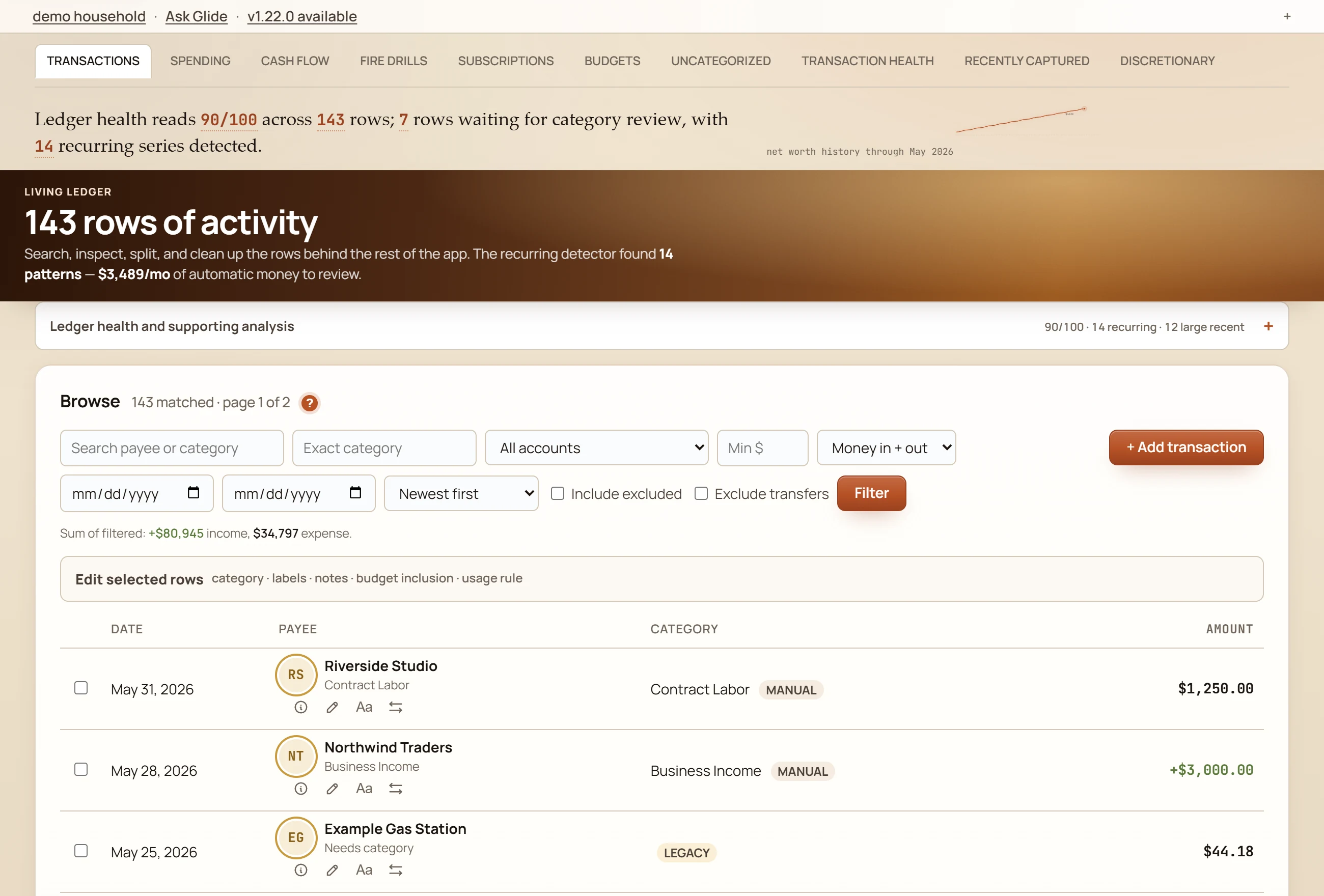
Fictional demo data.
Each card says the question it answers, where the numbers come from, and whether there is enough history to trust the view — and evidence links open the ledger rows behind any number.
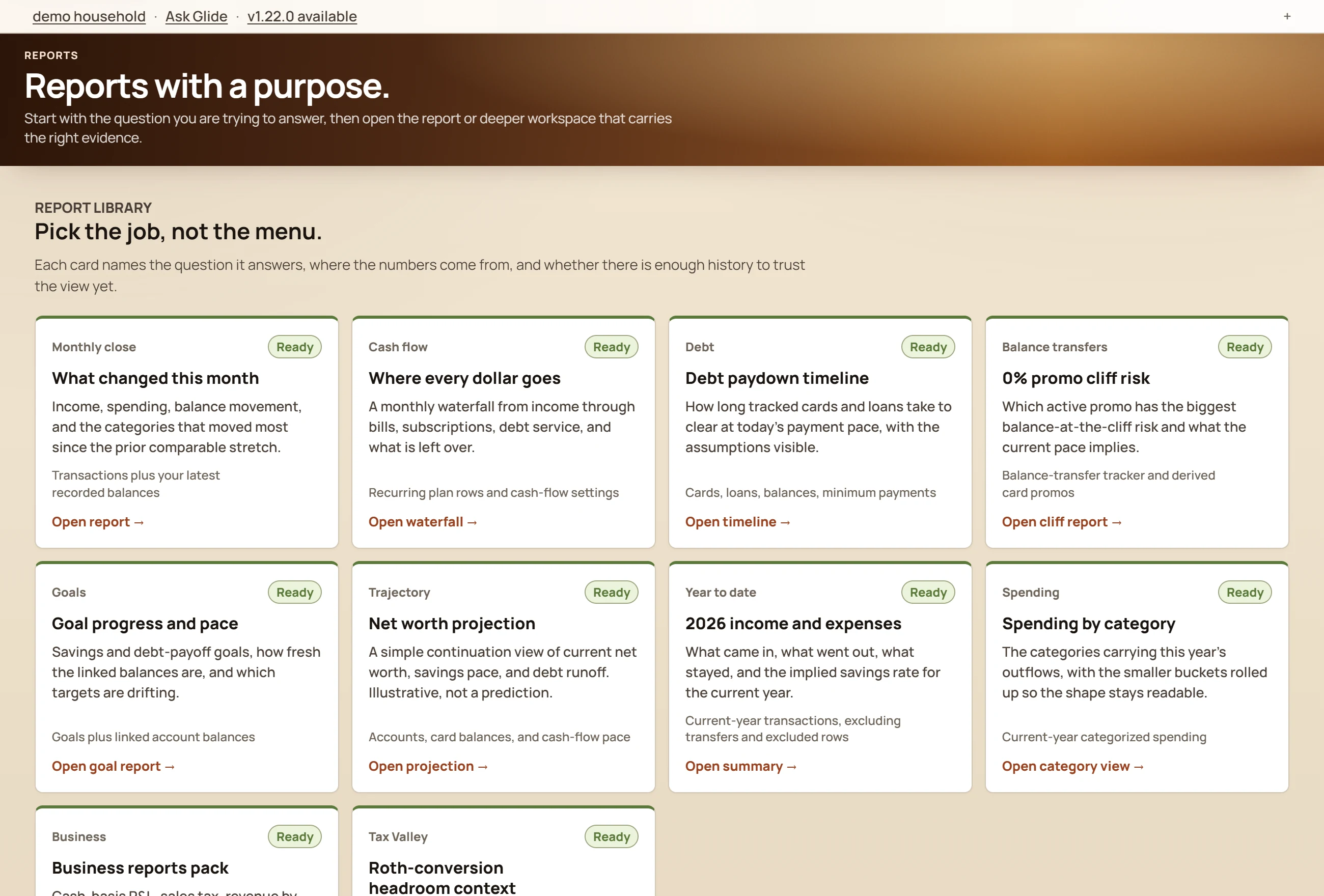
Fictional demo data.
Walk the screenshot tour — or install the app and choose Explore to walk the real thing on a fictional household, no license key, account, or email.
Not a dashboard. Not a budget.
Your data stays yours; GlidePath’s value is helping you understand it. A file can become state, change, consequence, a decision, and a clean stopping point.

Drop in the export or record you chose and GlidePath previews what it can understand: fresh facts, missing pieces, likely matches, and the receipts behind the read. It is not just rows in a table; it becomes a dated picture of where things stand.
A new balance, statement, or batch does not sit alone. GlidePath reads it against debt, retirement, taxes, business records, and household basics so the question shifts from "What changed?" to "What does this affect?"
The app can surface a stale import, a debt cliff, a planning assumption, or a missing fact. It does not tell you what to do. It shows the source, consequence, and confidence so you can decide what matters now and what can wait.
No bank-login connection is required. The core file stays local by default, imports show what would change before they write, and the useful ending is explicit: you have the receipts, the state, and permission to be done for now.